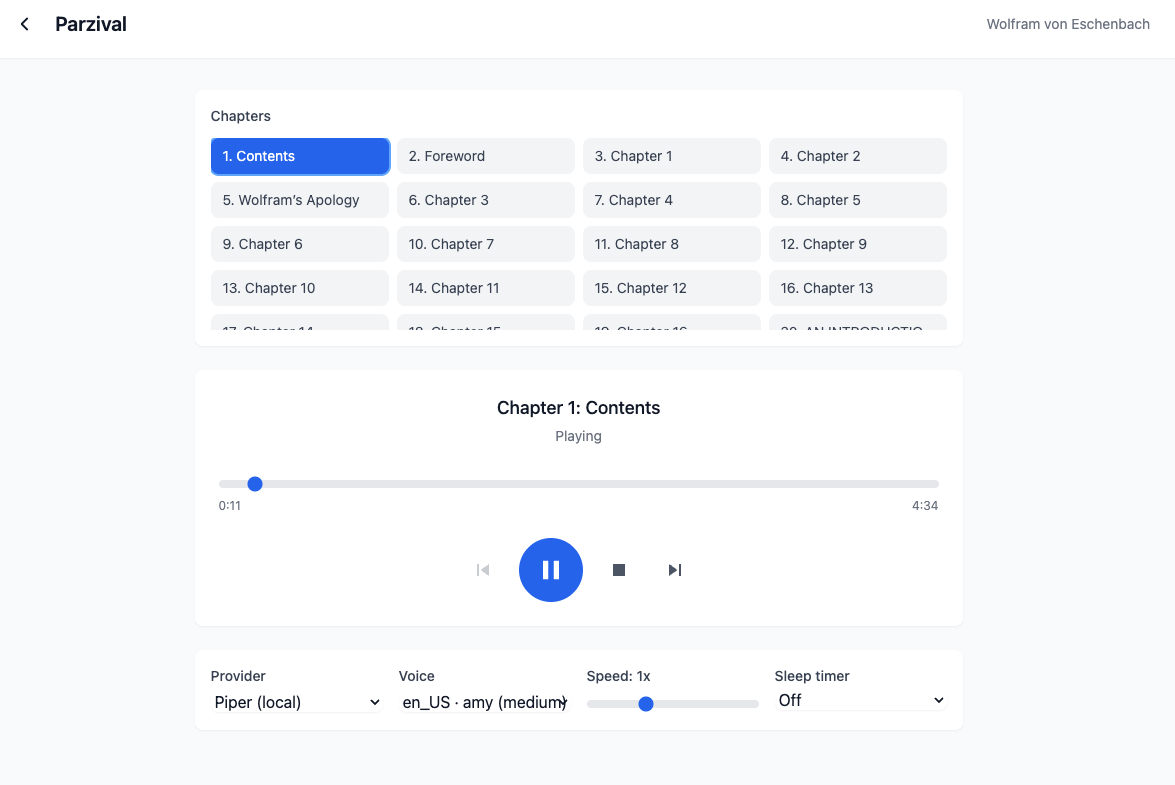
Streaming Wolfram von Eschenbach's Parzival through a local Piper voice — chapters on the left, the live player and provider / speed / sleep-timer controls below.
ebookstream
Upload an ePub, press play — it narrates on the fly and remembers where you left off.
Most “ePub to audiobook” tools make you wait while the entire book is rendered to a pile of MP3s. ebookstream skips that: it treats the book as a stream, synthesizing each paragraph the moment it's needed and playing it back as a seamless whole. Open a book, hit play, and narration begins in seconds — in whatever voice you choose, including one that runs locally for free.
How it works
- Upload an ePub — The server parses the book into chapters and paragraphs and stores them in SQLite. A cover is fetched in the background from the Google Books API.
- Press play — and it synthesizes as it goes — Instead of rendering the whole book to MP3 first, it sends one paragraph at a time to a TTS provider and stitches the returned chunks into a single continuous stream. Audio starts in seconds, not after a long render.
- Prefetch keeps it gapless — At 75% through the current chunk it begins synthesizing the next one, so the audio is already waiting by the time playback reaches it — no pause between paragraphs.
- Pick a voice — cloud or local — OpenAI (alloy by default) and ElevenLabs sit behind a provider factory; Piper runs entirely on your CPU, free, with any voice model you drop in. Speed and a sleep timer round out the controls.
- Resume anywhere, re-read for free — Your position is saved per book, so you pick up exactly where you stopped. Every paragraph+voice pair is cached to disk on first synthesis, so a second listen costs nothing.
Free, if you want it
Cloud voices sound the best, but they meter. Point ebookstream at Piper instead and it narrates on your own CPU with no API key and no per-character cost — the server auto-discovers any .onnx voice model you drop in its voices folder and offers it in the same dropdown. The screenshot above is running en_US · amy, entirely local.
Under the hood
- Fastify + TypeScript (server)
- better-sqlite3 — chapters & positions
- epub parser + @fastify/multipart
- React 18 + Vite + Tailwind (client)
- Custom StreamingPlayer over HTMLAudioElement
- TTS: OpenAI · ElevenLabs · Piper (local)
- On-disk MP3 cache, keyed by paragraph + voice